How it works in numbered stepsfeature-grid-numbered-steps
Use in Plus UI
npx shadcn@latest add https://blocks.plusui.com/r/feature-grid-numbered-steps.jsonFeature-grid · 9 variants
← → to step through · + on a thumbnail to compare side by side (up to 3)


/preview/feature-grid-numbered-steps
Open ↗Default content
{
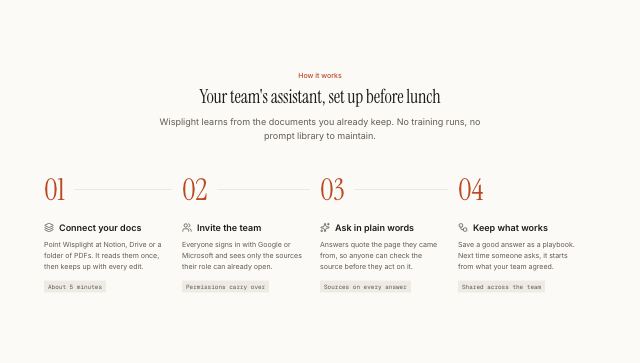
  "eyebrow": "How it works",
  "title": "Your team's assistant, set up before lunch",
  "description": "Wisplight learns from the documents you already keep. No training runs, no prompt library to maintain.",
  "items": [
    {
      "icon": "layers",
      "title": "Connect your docs",
      "text": "Point Wisplight at Notion, Drive or a folder of PDFs. It reads them once, then keeps up with every edit.",
      "detail": "About 5 minutes"
    },
    {
      "icon": "users",
      "title": "Invite the team",
      "text": "Everyone signs in with Google or Microsoft and sees only the sources their role can already open.",
      "detail": "Permissions carry over"
    },
    {
      "icon": "sparkles",
      "title": "Ask in plain words",
      "text": "Answers quote the page they came from, so anyone can check the source before they act on it.",
      "detail": "Sources on every answer"
    },
    {
      "icon": "workflow",
      "title": "Keep what works",
      "text": "Save a good answer as a playbook. Next time someone asks, it starts from what your team agreed.",
      "detail": "Shared across the team"
    }
  ]
}